
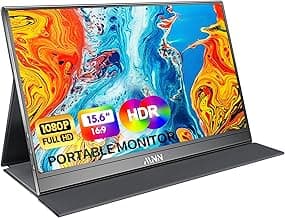
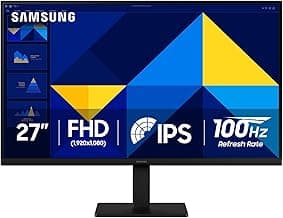
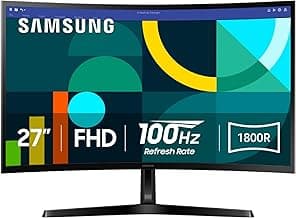
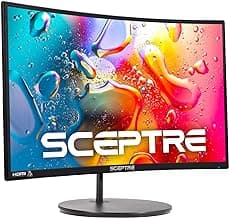
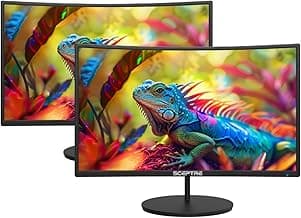
The Psychology of Gifting a Premium Display
Why choose a monitor as a gift? Often, people hesitate to upgrade their own screens, settling for older, lower-resolution models because "they still work." By stepping in, you provide a luxury they might not have permitted themselves. A crisp, vibrant screen reduces eye strain and makes every task—from writing emails to editing videos—significantly more enjoyable. It is one of the best gift ideas for him or anyone who spends hours at a desk.
Gifting technology is about enhancing the recipient's quality of life through better tools. It shows you recognize their passions and want to support their daily journey with comfort and precision.
When considering a display, think about the context. Is it a reward for a recent promotion? A centerpiece for a new home office? Or perhaps one of the best gifts for xmas to upgrade a family gaming rig? Understanding the "why" behind the gift helps you navigate the "where" and "what."
Top Retailers: Finding the Best Place to Buy Computer Monitors
The market is flooded with options, but a few retailers stand out for their reliability and customer-centric approach. Here is where you should look to find the perfect screen.
1. Amazon: The Unbeatable Variety
For most shoppers, Amazon is the first stop. Its strength lies in the sheer volume of user reviews and competitive pricing. You can easily compare the best gaming monitor on the market alongside budget-friendly office models. The "Gift Options" at checkout allow you to hide the price and add a personal note, which is essential for a seamless delivery. Furthermore, their "A-to-z Guarantee" provides peace of mind for high-ticket electronics.
2. Best Buy: The Hands-On Experience
If you prefer to see the screen's brightness and color accuracy in person before committing, Best Buy is an excellent choice. Their in-store displays allow you to compare resolutions and panel types side-by-side. For those who aren't sure how to find the right gifts for friends, the Blue Shirt staff can offer technical advice that makes the process less overwhelming.
3. Specialty Tech Retailers (Newegg and B&H Photo)
For the recipient who is a power user or a creative professional, specialty stores like Newegg (for gamers) or B&H Photo (for photographers and editors) offer more granular search filters. You can filter by color gamut (like 100% sRGB) or specific ports that mainstream retailers might overlook. B&H is particularly known for its exceptional customer service and expert-level product descriptions.
Matching the Monitor to the Recipient
To choose the right screen, you must categorize the recipient's primary activity. A "one-size-fits-all" approach rarely works in the world of displays.
The Productivity Powerhouse
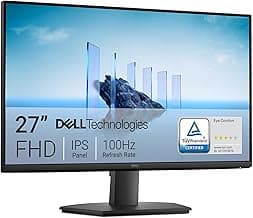
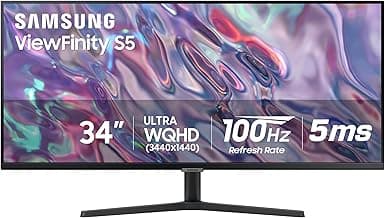
For someone working from home, look for features like height adjustability and "Low Blue Light" modes. These users need the best monitors for work that prioritize ergonomics. An ultrawide monitor is a fantastic gift for this group, as it replaces a clunky dual-monitor setup with one sleek, expansive screen that allows for seamless multitasking.
The Immersion-Seeking Gamer
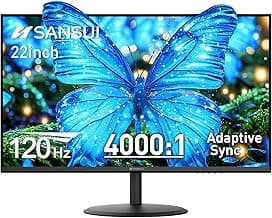
Gamers care about refresh rates and response times. A monitor with a 144Hz or 240Hz refresh rate will make their gameplay feel incredibly smooth. Look for "Adaptive Sync" (G-Sync or FreeSync) to prevent screen tearing. If they play competitive shooters, a 24-inch high-refresh screen is ideal; if they prefer cinematic RPGs, a curved 32-inch 4K display is a breathtaking choice.
A high-quality monitor is a gift that is used every single day. It is a constant reminder of the giver’s thoughtfulness every time the user powers on their system.
The Creative Soul
Photographers, illustrators, and video editors require color accuracy above all else. For this recipient, look for an IPS (In-Plane Switching) panel. These panels provide the widest viewing angles and the most consistent color reproduction. Don't worry too much about "gaming" features like RGB lighting; focus on resolution (4K is the standard here) and color depth.
Technical Specifications Decoded
When browsing the best place to buy computer monitors, you will encounter several acronyms. Here is a quick breakdown to help you navigate the listings:
- Resolution: 1080p is standard, 1440p (QHD) is the "sweet spot" for 27-inch screens, and 4K (UHD) is best for large screens and professional work.
- Panel Type: IPS for color and angles, VA for high contrast and deep blacks, TN for ultra-fast response times in competitive gaming.
- Ports: Ensure the monitor has HDMI or DisplayPort connections that match the recipient's laptop or PC. USB-C with "Power Delivery" is a premium feature that allows a laptop to be charged and connected to the screen with a single cable.
The Practical Side of Gifting Tech
Before you hit "buy," consider the logistics. Computer monitors are fragile and bulky. If you are shipping the gift directly, ensure the retailer uses sturdy secondary packaging. If you are presenting it in person, remember that the original box is often quite large, so have a plan for transport and wrapping.
Always include a gift receipt. Even with the most meticulous research, the recipient might have a specific technical requirement (like a certain VESA mount compatibility) that wasn't apparent. Providing an easy way to exchange ensures the gift results in a perfect setup rather than a technical headache.
Furthermore, consider the environment. If your friend has a very small desk, a 34-inch ultrawide might be more of a burden than a blessing. A quick, subtle check of their current workspace can save a lot of trouble later. Sometimes, a high-quality 24-inch monitor with a premium adjustable arm is a better gift than a massive screen that doesn't fit.
Conclusion
Selecting the best place to buy computer monitors is the first step toward delivering a gift that truly resonates. Whether you opt for the convenience of Amazon, the hands-on service of Best Buy, or the technical depth of B&H Photo, your focus should remain on the recipient’s specific lifestyle. By choosing a display that aligns with their needs—be it gaming, creating, or working—you are providing a tool that enhances their world every time they sit down at their desk. A monitor isn't just an accessory; it’s an upgrade to their digital life.
Gifts are for making an impression, not just for the sake of it. GiftsPick - Meticulous, Kind, Objective.